An agile renaissance: why agentic engineering means the fundamentals matter more

There's a version of the current moment that goes something like this: AI writes the code now, so the ceremonies and the cadences and the careful slicing of work were scaffolding for a slower era, and we can quietly let them go.
We've spent the past year adopting LLMs inside our company. We have experimented with agentic engineering, LLMs pouring over research to identify patterns, leveraging design systems and AI for prototypes, exploring how we can reduce the turns on customer support, and a whole lot more. What we have found is that the tried and trusted agile practices haven't become less relevant. They've become the thing holding everything together.
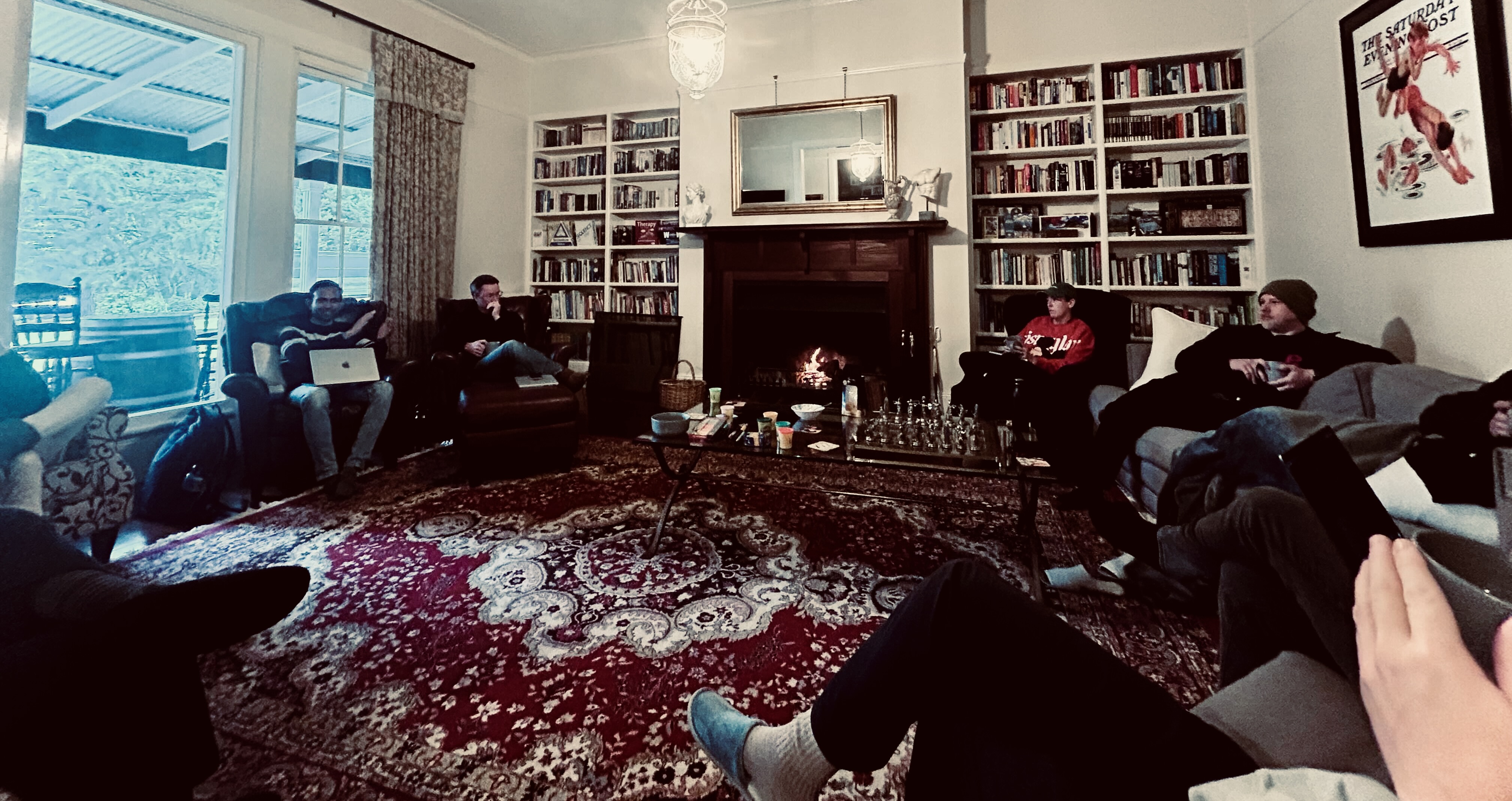
Last week at our in person team get together, which we call Advance Easy Agile, we started calling this the agile renaissance.
The bottleneck moved. It didn't disappear
The most useful lesson we've learned is also the least glamorous.
When your team can suddenly produce X3 as much work in progress, the constraint doesn't vanish, it simply moves. Code generation stops being the bottleneck and review becomes one. Or testing. Or deployment. Or the single person who understands the integration well enough to say whether the change is safe.
The failure mode is subtle and it feels like productivity. You start more work because there's capacity to start it. Everything is in flight, nothing is in production, and the queue in front of your slowest step keeps growing. You've optimised one part of the value stream and yet made the whole system worse.
Lean principles were written for exactly this. Limit work in progress. Optimise the whole system, not the part you happen to be looking at. Find the constraint before you add throughput upstream of it.
A key reminder for our team as we experiment with agentic engineering: don't start more work just because the LLM has capacity. Shepherd what's already in flight through to production first.
Small slices got more important, not less
The instinct with a capable model is to hand it a bigger problem. A whole feature. A whole epic. It will happily oblige, and you'll get a large volume of plausible output that may be time consuming to verify and painful to unpick when one assumption at the base of it turns out to be wrong.
Small, thin, independently valuable slices give you something a large batch can't: fast feedback on whether you're building the right thing, and a cheap way to change your mind. That was true when a human wrote every line. It's more true when generation is fast and verification is the slow part, because the cost of a wrong direction now lands almost entirely on review.
Decomposition and just enough upfront planning for the LLM loop may become one of the highest-leverage skills on a team in 2027. Breaking a piece of work into pieces that flow through the system - that are composable, that each stand on their own, that can be checked in isolation, behind a feature flag - is the thing that lets the team go fast safely and in the right direction, rather than just fast.
Retrospectives make space to improve
Here's the pattern we didn't anticipate.
The more time people spend working with an LLM, the more their working day becomes a solo activity. It's a conversation, and a productive one, and yet it happens in a window on one person's screen. The incidental collaboration that used to form part of the regular work day - chatting to the person next to you, conducting an over the shoulder review of some WIP, or just overhearing a conversation that changes your approach - appears to have been thinning out for our team without a conscious decision being made.
So the deliberate moments carry more weight than they used to. Planning is where a team builds genuine shared context rather than parallel individual understandings of the same work. Retrospectives are where a team notices that its process has drifted, that a new tool introduced a new failure mode, that the way work moves through the system stopped matching the way it's described.
A retrospective was always the mechanism for a team to adapt, course correct and improve. Teams are adapting faster than they have in years. Skipping the ceremony that processes that change, right now, is poor timing.
Talk about the outcome, not the technology
One more (and perhaps the most important thing), and it applies as much to how we build our own products as to anything else.
Nobody really wanted AI per se. Companies sought predictable outcomes, customers wanted tangible value more quickly, and team members wanted engaging work and more time with their families and friends. There's a lot of software shipping right now with an AI feature bolted on, and folks can tell. It doesn't take long to work out which capabilities were built to solve a real customer problem and which were built to be mentioned.
Can we describe the value we are delivering without naming the technology underneath it? For example, can they plan more effectively? Are they able to spot a bottleneck sooner? Will they walk out of a retrospective with an action item that will improve how they work? That is what we need to be championing. How it works underneath is an implementation detail, and framing it as the headline usually means the outcome underneath isn't strong enough to lead with.
A constant reminder from our colleague Teagan last week - look at this from the perspective of our customers. We get caught up in the excitement too, yet we need to stay grounded in what our customers need.
A renaissance implies something went wrong first.
If you spend any time in this space, you'll have seen the other framing: agile is dead. It's said with a lot of feeling at the moment, and I don't think the feeling is unearned.
Somewhere over the past two decades, the four values in the manifesto got industrialised. A set of principles about how people work together became a thing you buy, roll out and report on. For plenty of teams, "agile" now names something that was done to them rather than the way they work. A multi-year transformation, a re-org, new titles, a wall of velocity charts, and a stand-up that quietly became the status report to a manager. Ceremonies observed. Principles nowhere. If that's the association, "agile is dead" seems like a fair thing to say.
That's not what we're proposing a renaissance of. Nearly the opposite, in fact. The practices holding up under agentic engineering are the small, load-bearing ones: limit work in progress, slice thin, get feedback early, inspect and adapt together. None of that needs a transformation program or a maturity assessment. A team can start on Monday, on their own team, without permission.
I should be upfront abut where we sit in all this: Easy Agile has built a business on the industrialisation, and we exist to help teams live the principles at scale, in service of better outcomes for their own customers. The need is real - the manifesto was written about small teams who could see each other, not four hundred people across 11 timezones. The failure wasn't scaling the principles, it's that the apparatus became the deliverable while the feedback it was meant to produce went missing.
Where to from here?
It was great to come together as a team at Advance Easy Agile and reflect on the current state of the market, reflect on what we've learned within the product & engineering space over the past 25 years with the adoption of agile practices and lean principles. I think back to my first workshop with Mary Poppendieck in 2009 and how much we've learned and evolved in the software space since then. And then I think of how much we have to re-learn, how everything old is new again.
If you're navigating this with your own team, the least risky place to begin isn't a tooling decision. "Individuals and interactions over processes and tools".
What are you going to do? Perhaps start by looking at where work is piling up in the system and have a conversation with the team about it in a retrospective. Some conversation starters: what is genuinely faster? what has quietly become the new constraint? what is in progress right now that nobody is shepherding to done? Finish what you've started before pulling in more work.
None of this is new. And that's the point. We're an early adopter of agentic engineering practices and we are working with mid-market and enterprise teams who are starting to explore AI. We're surely going to be having these same conversations again and again over the next couple of years. The practices we see holding up best under the current changes are the ones agile and lean thinking gave us decades ago. The tools are new. The discipline isn't.
If you want to chat about this feel free to find some time on my calendar.
Easy Agile builds Jira-native apps that help teams plan, prioritise and improve together — including TeamRhythm for user story mapping and retrospectives, and Programs for PI planning across teams.

Related Articles
 Agile Best Practice
A Scrum Master 7-Point Retrospective Checklist
One question that often arises is, “What are the indicators of a highly effective Scrum Master?" When striving to become an exceptional Scrum Master, consider the following:
- Identify Repeated Mistakes: While occasional mistakes are expected, it is important for the Scrum Master to collaborate with the team to identify recurring mistakes. By implementing policies and practices, the team can prevent these mistakes from happening again.
- Address Systemic Issues: If the team consistently encounters the same issues, the Scrum Master must recognize the presence of systemic problems. Working with the team, the Scrum Master can establish countermeasures to prevent these issues from reoccurring.
- Measure Improvements Over Time: Are we continuously improving as a team? Assess whether the team is more effective now compared to prior periods, such as 6, 9, and 12 months ago. Similarly, consider if the team will be better in the future. If progress stalls, it may be necessary to reevaluate the effectiveness of the Scrum Master.
If your team is progressing across all three of these areas, that’s a great sign that the Scrum Master is effective and that the team is learning and improving.
To drive continuous improvement, the Scrum Master should utilise the retrospective. The retrospective is a Scrum event conducted after the Sprint Review to evaluate and adapt the process and the team's ability to deliver products effectively. During this session, the Scrum Master guides the team in celebrating successes and exploring areas for improvement.
7-step checklist used by Scrum Masters during retrospectives to address problems:
- Discuss the Problem: In the retrospective, the Scrum Master facilitates a discussion to identify the main challenges faced by the team.
- Assess Impact: Determine the urgency and impact of the problem. Immediate action may be required for highly impactful issues, while less pressing matters can be addressed later.
- Identify Root Causes: Understanding the root cause allows the team to gain deeper insights and generate potential solutions.
- Generate Solutions: Once a significant problem is recognized, the Scrum Master guides the team in brainstorming solutions to address the issue.
- Implement Solutions: This step is carried out in the subsequent retrospective. The Scrum Master ensures that the proposed solutions are tried and tested.
- Evaluate Initial Results: Assess the effectiveness of the implemented solution. Did it fix the problem, make it worse, or have no effect?
- Determine Next Steps: Based on the results, decide whether the problem is resolved or if further action is needed. This may involve continuing with the current solution or pivoting to a different approach.
For example, let's consider a team struggling with high defect rates. Their defect rates surpass both the organisation's average and industry standards. Here's how the 7-step checklist could be applied:
Step 1: In the retrospective, the Scrum Master raises the issue of high defect rates for discussion.
Step 2: The Product Owner shares feedback from the help desk team, highlighting customer complaints and the negative impact on sales.
Step 3: After deliberation, the team recognizes that many defects are missed during manual testing and identifies the lack of test automation as a contributing factor.
Step 4: A team member with experience in automated testing proposes implementing unit-level automated testing practices.
Step 5: In the subsequent retrospective, the team reports applying the new unit testing practices to all their work during the sprint.
Step 6: The team acknowledges that the automated tests identified six defects that would have otherwise been missed.
Step 7: The team agrees to continue using automated unit testing practices and plans to expand to integration-level testing as more of the codebase is covered.
By utilising this 7-step checklist, Scrum Masters can effectively leverage retrospectives to address recurring mistakes, resolve ongoing issues, and foster continuous growth and improvement within their teams.
 Agile Best Practice
Agility Starts with People: Inclusion, Learning Styles, and Psychological Safety
High-performing agile teams thrive on adaptability, collaboration, and continuous improvement. But for learning to truly happen, teams need psychological safety—a culture where people feel comfortable speaking up, sharing ideas, and acknowledging failures without fear of judgment. One of the most overlooked aspects of team inclusion in agile team dynamics is how people learn. Not everyone processes information the same way, and understanding diverse learning styles can help create environments where all team members feel supported, engaged, and empowered to contribute.
Want to find out your specific learning preferences? Download your free Learning Style Quiz and Guide on how each learner type absorbs knowledge best.
Understanding Learning Styles and Learner Types
Think of a time you learned something quickly and effectively, and try to pinpoint what made it work for you. If it was a learning experience you enjoyed and found useful, the way the information was presented was probably well aligned with the way your brain likes to process new knowledge. For some people, that might look like videos, or a chance to practice and apply, or having time to read and take notes down.
Understanding your own learner type and how you best process information will improve your self-awareness at work, enabling you to learn more effectively and advocate for your learning needs.
But why is it important to understand the learner types of those around you?
- Team awareness → Adapt to others, improve team collaboration and inclusion
- Leaders & trainers → Support diverse learners, create accessible environments
- Inclusion → Recognizing and valuing different ways people process information and communicate
- Psychological safety → People learn best when they feel safe to ask, experiment and fail
Before we get into looking at the four learning styles, let’s take a moment to recognize that learning preferences aren’t one-size-fits-all—many people have a mix of preferences and may not fit neatly into just one category. Diverse learners—those who process, absorb, and express knowledge in different ways—benefit from flexible approaches, and may align with more than one learning style, parts of a few, or none at all. Neurodiversity in the workplace is an important consideration here—neurodivergent individuals often have unique information processing styles and may need additional support to ensure they can engage effectively. The key is to find what works best for you and create an environment where everyone can learn in their own way.
The VARK Learning Model: Four Learner Types
The VARK learning model categorizes learners into four main types:

Psychological Safety & Team Inclusion in Agile
Now that you understand your own learning style—and that others may learn very differently—let’s talk about how this contributes to team effectiveness.
Learning, growth, and innovation are cornerstones of high-performing agile teams, but these things don’t happen in isolation. They can really only happen in environments where people feel safe to ask questions, experiment, and share ideas. It is well known that a key factor of successful and effective agile teams is their positive, healthy culture, and this is where psychological safety and inclusion come in.
Psychological safety and inclusion are essential for agile teams because they:
- enable people to learn and grow
- help teams adapt and change quickly
- reduce fear of failure, leading to innovation
- prevent misalignment and financial loss due to fear of speaking up
Inclusion and psychological safety aren’t just ‘nice to have’ - they make agile work.
➡️ What is inclusion?
Ensuring that everyone, regardless of background, identity, or learning style, has equal opportunity to contribute, feel valued, and thrive in a team or workplace.
How to foster inclusion in the workplace:
- Adapt communication and learning approaches to support different learner types.
- Create accessible ways for everyone to engage e.g. visuals, discussions, written formats, hands-on activities.
- Actively seek out and respect different perspectives in meetings, planning, and decision-making.
- Ensure all voices are heard by structuring discussions to prevent dominant voices from taking over.
➡️ What is psychological safety?
A team environment where individuals feel safe to speak up, take risks, ask questions, and share ideas without fear of judgment, rejection, or punishment.
How to build psychological safety in the workplace:
- Normalize giving and receiving feedback in a constructive, blame-free way.
- Encourage curiosity—frame mistakes as learning opportunities rather than failures.
- Leaders should model vulnerability by admitting when they don’t have all the answers.
- Create a culture where all input is valued by acknowledging contributions, even if they aren’t implemented.
Agility is a learning process
The strongest agile teams learn, adapt, and have a culture of continuous improvement. Psychological safety enables teams to ask questions, challenge ideas, and experiment without fear - key to fast and effective feedback mechanisms.
Why psychological safety matters for all learners…
People process information differently—safe environments let all learners express needs, engage in their way, and contribute fully. Diverse learners, including neurodivergent team members, may not fit one learning type—psychological safety ensures they can ask for what they need without judgment, and feel valued for the way they engage with and process information.
The impact on agility?
- Align: Safety fosters open discussion → better decisions, clear priorities.
- Improve: Teams feel safe to experiment → faster learning, better solutions.
- Inform: Feedback flows freely → smarter investment decisions, stronger adaptability.
What does this look like in practice?
Retrospectives: The Ultimate Learning & Inclusion Space
Retrospectives are where Agile teams pause to reflect, learn, and improve. But for a retro to be effective, it must be psychologically safe and inclusive—because without trust, learning can’t happen.
So, what makes a retrospective psychologically safe and inclusive?
✅ All voices are heard → Everyone, regardless of communication or learning style, has a way to contribute.
✅ Blame-free reflection → The focus is on learning and improving, not pointing fingers.
✅ Actionable follow-through → The team sees real change as a result of their input, building trust.How to Create Inclusive & Safe Retros
To ensure your retrospectives work for all learning styles, consider:
- Use multiple ways to gather input → Anonymous feedback, written reflections, open discussion, or interactive boards.
- Encourage different communication styles → Some may prefer speaking up in the moment, while others need time to process and write.
- Follow through on feedback → If teams don’t see changes happen, engagement will drop.
A great retro is not just a meeting—it’s a space for learning, collaboration, and trust-building. And the right tools can help.
How Easy Agile TeamRhythm Helps Agile Teams Run Inclusive, Psychologically Safe Retros
While Easy Agile TeamRhythm is a Jira app built for creating, estimating, and sequencing work at a team level on an interactive user story map, it is also a platform for running engaging and effective agile retrospectives. The retrospectives feature of Easy Agile TeamRhythm allows uses to create and track action items from retros by group feedback, identifying themes, and converting them into Jira issues for each planning. You can use templates, mood surveys, and timers to keep your ceremonies focused and effective.
Build collaboration and improve team alignment
Easy Agile TeamRhythm makes team retrospectives boards the hub for learning and improvement, allowing teams to celebrate wins, share learnings, and improve their team alignment and workflow. The ability to set privacy and permissions ensures that team information is only available to those your team trusts.
How Easy Agile TeamRhythm features create psychological safety and inclusion

Final thoughts
Inclusion and psychological safety aren’t just concepts—they’re the foundation of high-performing Agile teams. By recognizing different learning styles, creating space for all voices, and fostering a culture where people feel safe to learn and experiment, teams can truly thrive. What’s one thing you’ll do to make your Agile team more inclusive, supportive, and effective? Small changes can have a big impact.
Start building more inclusive, collaborative teams
Download your free copy of the Learning Style Quiz. Use it to gain lasting insights into how your team learns and works best.
 Workflow
Facilitator tips: how to deal with common retro problems
Every facilitator has a story about the retro that went sideways. You arrive with a plan, the board is ready, and somehow the energy drops, a few voices carry the room, or good intentions dissolve the moment the meeting ends.
You’re not alone.
These (unfortunately) are normal patterns in team life, and they are all workable.
This post offers practical moves you can apply today, plus a simple way to keep outcomes visible and owned by running your session in a dedicated Jira retrospective app. When you host the conversation where the work already lives, you immediately reduce friction and make it easier to stick with what you decided. Using a dedicated retrospective app also creates a repeatable structure, increases safety through anonymity, and helps you close the loop when things get busy.
Problem #1: Awkward silence
Silence at the start is common when people are unsure what’s safe to share, when context is missing, or when the team is fatigued. Many teams also need a minute to switch from delivery to reflection. Your first job as the retro facilitator is to warm up the room and set a tone of psychological safety without forcing anyone to perform. A light, specific opening in your retrospective app helps you do that reliably.
Facilitator moves that help
- Open with a quick mood read. “On a scale of 1 to 5, how ready are you to talk about this sprint, and why?”
- Use a clear icebreaker template. “Share one small win and one friction point from this sprint.”
- Prime with context. “Here is what we shipped and what slipped. What feels most important to talk about first?”
- Offer a safe first step. “If you prefer, add one thought anonymously to get us started.”
A quick example: you open with a mood survey. Two people say 2 out of 5. You ask for one friction point. A quiet engineer adds an anonymous note about flaky tests. That becomes the first topic, and the ice breaks without calling on anyone.
Problem #2: The same voices dominate
Dominance is rarely ill-intended. Some people process out loud, others wait. Seniors feel responsible, juniors fear judgment, and remote calls magnify the gap. Without structure, airtime follows hierarchy and personality rather than insight. A Jira retrospective app with anonymity, timers, and voting helps you rebalance the floor so every voice shapes the picture.
Facilitator moves that help
- Set the expectation. “We are aiming for range over repetition. I will invite quiet voices in and timebox longer riffs.”
- Collect ideas silently first. “Take two minutes to add thoughts in the Jira retrospective app, anonymously if you like. We will read before we talk.”
- Use structured rounds and random order. “One sentence per person on what matters most, and I will draw names at random.”
- Vote before debate. “Please vote on the two items you think we should discuss first in the Jira retrospective app.”
- Redirect with appreciation. “I am going to pause you there to hear from Priya, then we will come back to decide the next step.”
A quick example: after silent capture, the top-voted item is from a new tester about test data resets. You start there. The architect still contributes, but you run one sentence rounds in random order, and the tester speaks early. The conversation is more balanced and the topic reflects team priorities, not volume.
Make it easier in Jira: Review by Easy Agile supports anonymous posting, timers, and voting, so the group sets the order, and the Jira retrospective app keeps airtime fair without you policing the room. And it's free, forever. Give it a spin now.
Repetitive discussions
When every retro sounds the same, you are likely seeing a mix of familiar prompts, unresolved root causes, and a human tendency to rehash what feels safe. People bring up the same issues because they do not see change, or because the problem is a symptom of something deeper that never gets addressed. Remote sessions can amplify this, as vague statements go unchallenged and discussions drift without evidence. Rotating the lens and tightening the evidence improves freshness and focus. The key - finding a way to make the rotation easy to repeat.
Facilitator moves that help
- Interrupt the pattern with a new frame. “Today we are doing sprint health, not Start Stop Continue. Pick one green, one amber, one red.”
- Anchor talk to specific evidence. “Add one example or metric beside your point, even if it’s rough.”
- Name the loop and set a decision. “We have circled this three times. Let us pick one experiment and a check date.”
- Timebox and summarise. “We have five minutes on this. I will summarise what I hear, then we will decide on one step.”
- Rotate voices and roles. “I am asking two quieter voices to go first, then someone new to scribe the action.”
A quick example: your team keeps revisiting flaky tests. You switch to a sprint health template in your Jira retrospective app. Under quality, three notes cluster on data resets. You timebox five minutes, summarise the pattern, and the team chooses a one-week experiment to seed fresh data nightly with a check date next retro.
Problem #3: No follow-through
Actions fade when they’re vague, ownerless, or lost in a separate tool. Improvement work also competes with delivery, so ambiguous items slip to the edges. When actions sit outside the Jira retrospective app, the team cannot see them during planning or standup, which erodes trust in the process. The fix is simple. Make actions concrete, owned, and visible where work happens.
Facilitator moves that help
- Limit improvement work in progress. “We will leave with no more than three actions so we can finish, not collect.”
- Write actions like tickets, not slogans. “Verb plus outcome, one owner, and a check date. Example: Reduce build time from 18 to 12 minutes by pruning steps. Owner Sam. Check next Friday.”
- Define the smallest visible step. “What can we show as progress by the next retro?”
- Tie actions to delivery. “If this belongs on the backlog, create or link the issue now from the Jira retrospective app.”
- Review previous actions first. “Open last retro’s actions. What is done, what is stuck, what did we learn?”
- Make blockers explicit. “What would stop this from happening, and how will we remove that?”
A quick example: the team decides to prune the pipeline. You capture the action during the session, assign Sam, and set a one-week check. You convert it to a ticket from the Jira retrospective app, link it to the right epic, and call it out at standup. Next retro, you review progress first, celebrate a 3-minute gain, and agree on one follow-up step.
Problem #4: Disconnected tools
When retros live in slides, spreadsheets, or whiteboards, insight drifts away from delivery. People struggle to find notes, context is lost, and good ideas die in document sprawl. Running the session where your issues, boards, and backlog already live keeps reflection part of the work, not an admin task. A Jira-native retro app solves this problem at the source by removing copy-paste effort and keeping the thread intact.
Facilitator moves that help
- Reduce context switching. “We will run today’s session in Jira so we can link ideas to work without leaving the room.”
- Show the board while you talk. “Let us open the board beside the notes to check assumptions.”
- Keep the thread alive. “We will revisit the same session page next time to see what changed.”
- Invite ownership in place. “If this action belongs to a squad, assign it now so it does not float.”
A quick example: you discuss release incidents while looking at the board. One note becomes a backlog item in the right epic. The team walks out knowing where to find it, and planning picks it up without extra ceremony.
How Review helps facilitators
Review by Easy Agile gives you helpful structure without ceremony. It provides templates for common formats, anonymous posting, reactions, voting, mood surveys, and an actions column that records clear next steps with ownership. Because it’s a Jira native, your session sits next to issues, boards, and epics, which means people can find it, act on it, and return to it without friction.
Remember, the biggest lift for facilitators isn’t collecting more thoughts. It’s reducing setup, improving psychological safety, and closing the loop on actions. For time-poor teams, a Jira retrospective app removes prep overhead, keeps the conversation structured, and ensures every session ends with owned actions in context. Even if a discussion gets messy, the guardrails are there so you can focus on guiding the room rather than managing the tool. Review by Easy Agile acts as a safety net that makes good practice the default.
Pre-retro checklist for smooth sessions
- Pick a template and write a two-sentence purpose for the session.
- Add a quick mood survey to your Jira retrospective app.
- Prepare a one-minute context recap with shipped items and known risks.
- Decide in advance how you will rebalance airtime if needed.
- Block five minutes at the end for action capture and owner assignment.
Quick facilitator micro-scripts across problems
- “Let us take two quiet minutes to add thoughts in the Jira retrospective app, then we will read before we talk.”
- “We will vote on the top two topics so the group, not the loudest voice, sets our order.”
- “What is the smallest visible step we can take by next retro, and who owns it in Jira?”
- “I am inviting two quiet voices first, then we will open it up.”
- “I hear we are looping. Let us change the frame and try a lessons learned angle.”
- “We will capture actions in the Jira retrospective app now so nothing gets lost.”
- “Before we start, here is the last set of actions in our Jira retrospective app. What is done, what is stuck?”
The point of facilitation is not about avoiding problems. It’s about steering through them with calm, practical moves that help people talk, decide, and act. When you combine good tactics with good tools that keep everything close to the work, tricky moments become turning points. Review by Easy Agile gives you the structure, safety, and follow-through to run the kind of sessions teams value.
Make facilitation easier with Review by Easy Agile, free in Jira.